


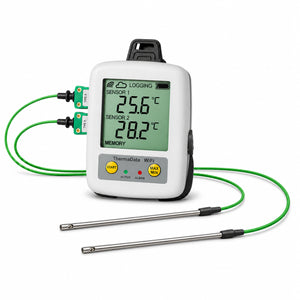

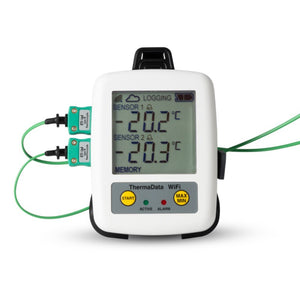
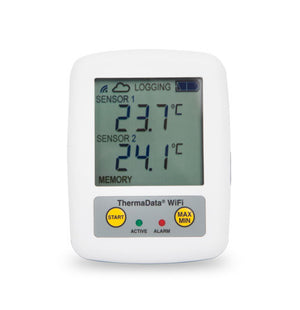
ETI ThermaData WiFi Coldroom Temperature Monitoring Kit
Product Description
Complete WiFi coldroom temperature monitoring kits
Monitor your chiller or freezer remotely, receive configurable high and low temperature alerts, and maintain automatic temperature records to support your food safety procedures. Suitable for butchers, food retailers, commercial kitchens and other temperature-controlled storage.
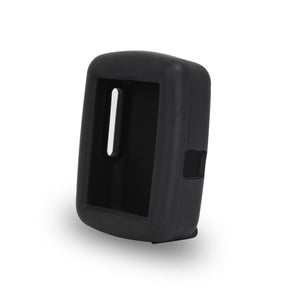
Each kit includes an ETI ThermaData TD2TC two-channel WiFi logger, your choice of one or two Type K air temperature probes, a black protective cover and a magnetic mount.
Choose your kit:
- 1 Air Probe Kit: 1 × logger (298-121), 1 × air probe (133-499), 1 × black cover (830-880), 1 × magnetic mount (830-800).
- 2 Air Probe Kit: 1 × logger (298-121), 2 × air probes (133-499), 1 × black cover (830-880), 1 × magnetic mount (830-800).
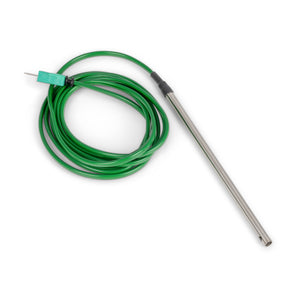
Each air probe has a 150mm stem and a 2.0m lead. The logger supports up to two probes, for monitoring two positions or two nearby areas where suitable cable routing is possible.
Features:
- WiFi monitoring and alerts on your phone with the free ETI App (see below)
- Programmable high and low temperature alarms
- Automatic data logging and temperature history
- Supplied Type K air probe temperature range: -50°C to +100°C (ETI 133-499)
- Two Type K thermocouple inputs; logger measurement range -100 to +1372°C (logger capability, not the supplied probe range)
- 18,000 reading memory (9,000 per channel)
- Selectable logging interval from 6 seconds to 330 minutes
- LCD display and battery operation
Standard logger accessories include batteries, USB lead, wall bracket/stand and traceable calibration certificate. A suitable 2.4GHz WiFi network and initial configuration are required. Remote notifications depend on compatible app/software configuration. Installation is not included. This equipment helps with monitoring and record keeping but does not independently guarantee regulatory compliance.
Monitoring on your phone:
We recommend ETI Cloud with the free ETI App. You don't need a computer, and the free plan covers up to 10 loggers.
- Download the free ETI App from the App Store or Google Play and create an account.
- Stand near the logger with your phone connected to your shop WiFi, then follow the in-app steps to add the logger.
- Set your high and low alarm temperatures for each probe, for example +5°C for a chiller or -15°C for a freezer.
- Allow notifications for the ETI App on your phone. You'll then get an alert if the temperature goes outside your limits.
You can check live temperatures and past readings in the app at any time, or log in on a computer at cloud.etiltd.com.
Please note:
- The logger needs a 2.4GHz WiFi network. It will not connect to a 5GHz-only network. Most shop routers do both, but check if you're unsure.
- The free plan gives phone notifications only. Email and text alerts, and alerts if the logger goes offline, need a paid ETI Cloud plan from £4.99 a month. See ETI Cloud plans
- Prefer to keep records on a Windows PC? Use the free ThermaData Hub software instead.
Installation and sealing:
Position the WiFi logger outside the coldroom and pass the ETI 133-499 air probe through a small drilled hole in the insulated wall from the outside. Keep the hole as small as practical: the probe stem is 6.35 mm in diameter, but check that the complete probe tip and cable junction will pass through before drilling. Seal the penetration carefully to prevent air and moisture ingress and protect the insulated panel. Installation and sealing materials are not included.
Optional installation accessories:
Available separately from Absolute Coldroom:
- Soudal Silirub 2S food-safe silicone sealant – for sealing the panel penetration, subject to the installation requirements.
- Cox EasiFlow HD sealant dispenser – manual cartridge gun.
- Cox PowerFlow cartridge sealant dispenser – professional alternative.
